Halloween Typing Games
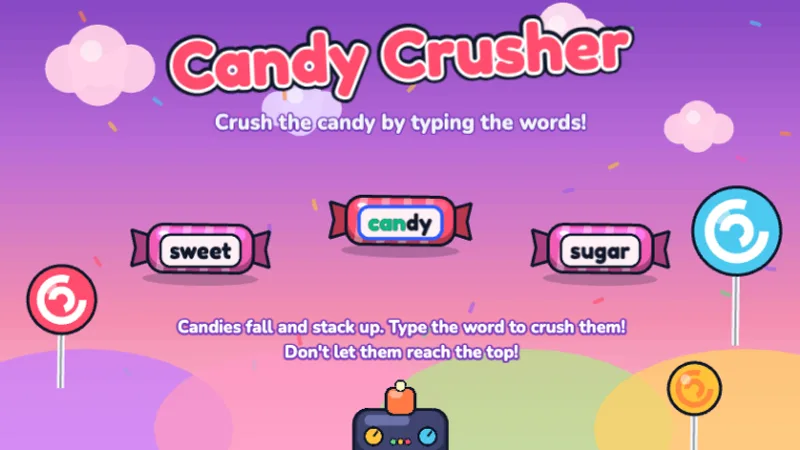
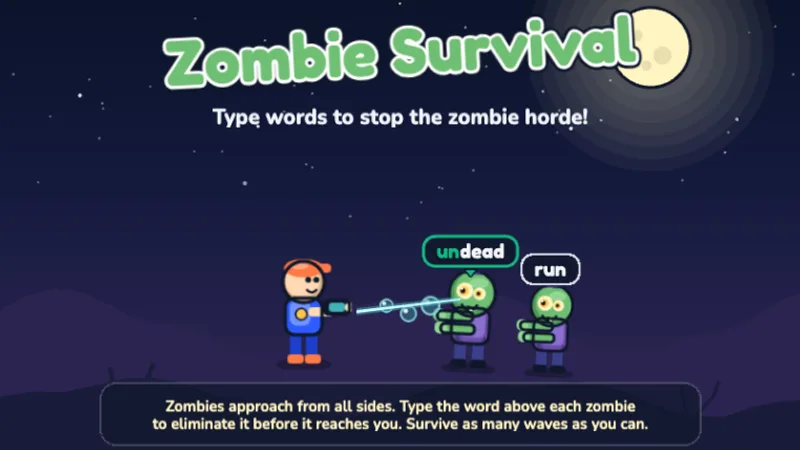
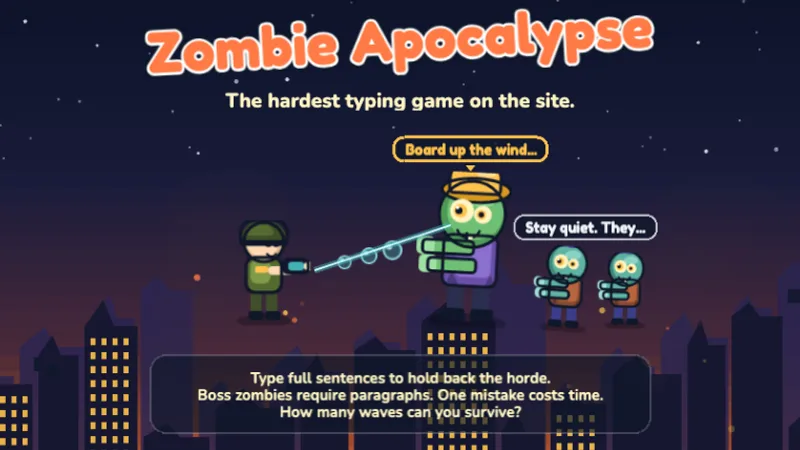
Four free Halloween typing games you can start in one click — ghosts carrying words, candy vocabulary, and two zombie games for the older kids. Same keyboard practice as any other week, wrapped in the only theme a class will ask for by name in October.
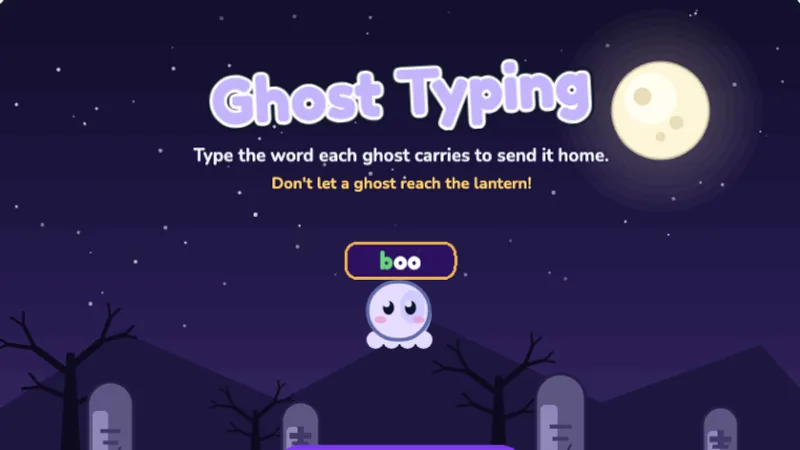
Playing Ghost Typing — press the first letter of a word to lock on to that ghost, then finish the word before it reaches the lantern.
The Four Spooky Games
Difficulty runs 1 (first keyboard) to 6 (hardest on the site), so a mixed-age room can be split across these four without anyone sitting bored or lost.
A 20-Minute Halloween Computer Lab Plan
Halloween week eats the schedule: parties, costumes, half a class missing for a parade. This is a lab block that survives that, needs no accounts and no printing, and still counts as keyboarding practice.
0–3 min
Warm-up words
Put the word list below on the projector. Students type the row for their grade twice, slowly, hands on home row. No game yet.
10–17 min
Class race
Host the same game as a live room in Class Race. Students join with a code, no logins. The board goes on the projector.
17–20 min
Measure
One minute on the typing test, written on a sticky note. Compare it to the same note after Thanksgiving.
With a substitute or a short block, cut the class race and run free play for the whole 20 minutes — the games themselves need no instruction beyond "type the word."
Halloween Typing Words by Grade
Copy a row onto the board for the warm-up, or into a document for students to type. Word length is what makes a list grade-appropriate — a 2nd grader typing "jack-o-lantern" learns frustration, not the keyboard.
| Grade |
Word length |
Words |
| K–1st |
3 letters |
bat · owl · cat · web · boo · fog · pot |
| 2nd |
4–5 letters |
moon · dark · mask · candy · treat · witch · broom |
| 3rd–4th |
5–7 letters |
ghost · spooky · shadow · costume · lantern · skeleton · pumpkin |
| 5th–8th |
8+ letters and punctuation |
graveyard · moonlight · invisible · disappear · jack-o-lantern · "trick or treat!" |
The last row is worth its own minute: jack-o-lantern is the only common Halloween word that drills the hyphen key, and "trick or treat!" makes students use Shift for both the quotation mark and the exclamation point.
How Spooky Is Too Spooky?
The honest split: Ghost Typing and Candy Crusher are drawn the way a classroom decoration is drawn — round shapes, big eyes, bright colours, no jump scares and no sudden noises. A 7-year-old can play either without a parent nearby.
Zombie Survival and Zombie Apocalypse are darker on purpose — they are the two titles middle schoolers will actually play, and they are also the two hardest games on the site. Below 5th grade they are usually too fast rather than too frightening.
If a younger child wants the Halloween theme without the dark art, Ghost Typing at wave 1-3 is the right answer, and the rest of the typing games for 2nd graders stay available all year.
Frequently Asked Questions
What are Halloween typing games?
Halloween typing games are keyboard practice games with a spooky theme — ghosts, zombies, candy and haunted settings instead of plain word lists. The typing practice is identical to any other typing game; the theme is what gets a class to play it in the last week of October.
Are Halloween typing games too scary for young kids?
Ghost Typing and Candy Crusher are drawn as round, smiling cartoon characters with no jump scares and no startling sounds — spooky the way a paper decoration is spooky. The two zombie games are drawn darker and are built for ages 10 and up. For a mixed-age class, start everyone on Ghost Typing.
Which Halloween typing game is right for my grade?
Ages 7-9 (2nd-3rd grade): Ghost Typing for single words, Candy Crusher for treat vocabulary. Ages 9-11 (4th-5th grade): Ghost Typing at the later waves. Ages 10-14 (5th grade and middle school): Zombie Survival for words and Zombie Apocalypse for full sentences.
Are these Halloween typing games free?
Yes. Every game runs in the browser with no account, no download and no ads, and nothing is collected about the child. They work on Chromebooks, school iPads with a keyboard, Windows and Mac.
Can a class play Halloween typing games together?
Class Race hosts any of these games as a live classroom competition — the teacher picks the game, students join with a room code and no accounts, and a shared board shows everyone's progress on the projector.
What Halloween words should kids practice typing?
Match word length to grade: 2nd grade works on three-to-five letter words like bat, owl, web and moon; 3rd-4th grade on ghost, candy, spooky and shadow; 5th grade and up on graveyard, moonlight, invisible and jack-o-lantern, which also drills the hyphen key. The full table is above.
When the decorations come down, the skill stays: Ghost Typing is word-level practice with a costume on, so the natural next step in November is the same word work without the theme. Keep going with the free typing games for children sorted by grade, or push speed with typing race games.
Start With the Ghosts
One click, no account, works on a school Chromebook. Host it for the whole class when you are ready.
 2nd·3rd·4th·5th·